EthernetTools: Mobile network diagnostics and subnet calculator for Android
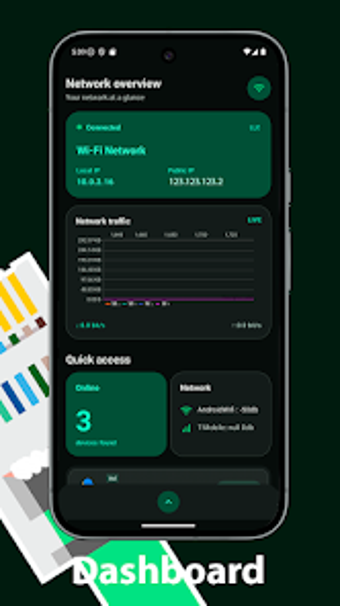
Explore EthernetTools: Network Tools from Qwerty Studio 9, a mobile utility for diagnosing and managing IP networks on Android devices. The app consolidates packet-level diagnostics, address calculations and local network enumeration into a single interface, enabling on-device troubleshooting without switching to desktop utilities. It groups IP calculations, service and host scans, DNS and lookup utilities plus remote wake and credential tools. Designed for network administrators, IT technicians and informed home users needing quick mobile diagnostics.
What the app provides on Android devices
EthernetTools acts as an on-device networking toolkit that centralizes address calculation, connectivity testing and host discovery inside a single Android interface. The tool targets both wired and wireless environments so administrators can run routine checks from a phone or tablet. Centralizing those capabilities reduces context switching between separate utilities and places essential analysis where technicians often first encounter problems, at the network edge.
How it affects device responsiveness during scans
The app is described as having a lightweight design intended for mobile diagnostics and targets devices that meet a modest system baseline. That orientation keeps routine lookups and short scans suited to handheld hardware, so the device generally stays responsive during quick checks. Users should expect longer sweeps or continuous scans to use the radio and battery more heavily and schedule intensive tasks accordingly.
Safety considerations for active network operations
Because the app implements active network tools such as Ping, Traceroute, DNS lookup, Port Scanner and Wake on LAN, it issues packets that interact directly with hosts on the local network. Those operations require network access and can trigger security monitoring on managed systems. Administrators should restrict aggressive probing to trusted segments and follow local network policy before issuing remote wake or wide port scans.
Who benefits and how technical the tool is
The tool explicitly targets network administrators, system administrators and IT technicians while also serving informed home users. The developer combines a simple, practical interface with advanced utilities including an IPv4 subnet calculator, Whois retrieval and a password generator. Casual users can perform quick diagnostics, but functions that involve CIDR math or service analysis assume familiarity with IP addressing and networking concepts. The app is generally well-received for its practical approach.
A pragmatic mobile option for technical users, with a single practical caveat
EthernetTools is a pragmatic choice for administrators and technicians who need portable network diagnostics on Android devices, reflecting the developer's focus on utility and networking tools. The primary trade-off is its technical concentration: users unfamiliar with IP addressing or service probing may face a learning curve. For anyone maintaining local networks from a handset, the app supplies useful, portable capabilities despite that learning requirement.